UTI PAN Photo, Signature, and Document Size – Complete Guide
Complete Guide to UTI PAN Photo, Signature & Document Size Requirements
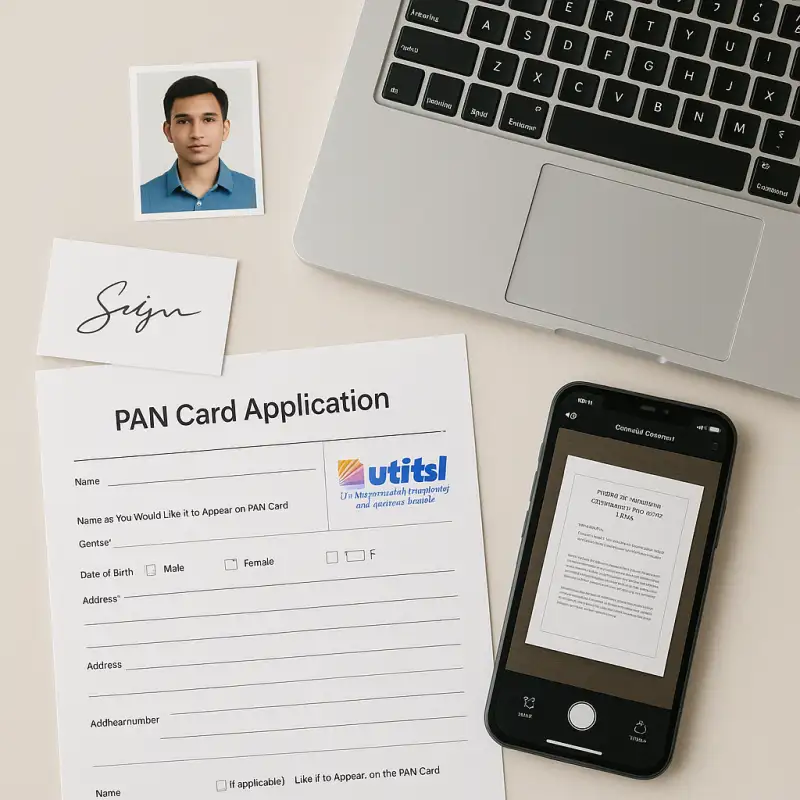
Applying for a PAN card through UTIITSL (UTI Infrastructure Technology And Services Limited) is a streamlined digital process—but only if your photo, signature, and supporting documents meet the strict format and size requirements. Any deviation from these standards can lead to delays or rejections.
In this blog post, we provide a complete guide on UTI PAN photo, signature, and document size requirements, with detailed specifications, step-by-step instructions, common mistakes to avoid, and helpful tools to get it right the first time.
Why File Specifications Matter for UTI PAN Application
The UTIITSL portal uses automated verification systems. If your uploaded files are too large, blurry, or in the wrong format, the system will either flag or reject them—forcing you to re-upload or resubmit the application.
That’s why it’s essential to follow UTI PAN card photo, signature, and document size rules precisely.
Photo, Signature, and Document Requirements for UTI PAN Card
Photo Specifications
| Attribute | Specification |
|---|---|
| Dimensions | 213 x 213 pixels |
| Resolution | 300 DPI |
| Format | JPEG |
| File Size | Less than 30 KB |
| Background | White |
| Clarity | Recent color photo, full face visible |
| Physical Size | 3.5 cm x 2.5 cm (for physical forms) |
🟢 Tip: Make sure the image has no shadows, is not pixelated, and both eyes are clearly visible.
Signature Specifications
| Attribute | Specification |
|---|---|
| Dimensions | 400 x 200 pixels (standard) |
| Resolution | 600 DPI |
| Format | JPEG |
| File Size | Less than 60 KB |
| Ink & Paper | Black ink on white paper |
| Clarity | No smudging, no overwriting |
🟢 Tip: Scan your signature in black and white mode for the best clarity.
Document Scanning Specifications
| Attribute | Specification |
|---|---|
| Application Form | Front & back, 200 DPI, color, PDF/A format |
| Supporting Documents | Same as above (proof of identity/address) |
| File Format | PDF/A (mandatory) |
| Combined File Size | Max 2 MB for all documents merged |
🟢 Tip: Scan in color at 200 DPI to maintain legibility of seals, stamps, and signatures.
Step-by-Step Process to Upload PAN Photo, Signature & Documents
1. Prepare Your Photograph
- Take a recent passport-sized color photo with a white background.
- Resize to 213 x 213 pixels at 300 DPI using tools like Canva, Photoshop, or online compressors.
- Save in JPEG format, ensure size is less than 30 KB.
2. Prepare Your Signature
- Sign with black ink on white paper (no blue ink).
- Scan at 600 DPI, crop to 400 x 200 pixels.
- Save as JPEG, under 60 KB.
3. Scan and Combine Documents
- Scan the PAN form (front and back) and supporting proofs at 200 DPI.
- Save each as PDF/A format.
- Merge all pages into a single PDF file not exceeding 2 MB.
4. Use Online Tools for Resizing
We have developed a tool to resize all the documents required to submit on UTI Portal. -> PAN Card Photo Resizer Tool
This tool helps in adjusting dimensions, DPI, and file size easily without professional editing software.
Tips for a Successful PAN Application Upload
- ✔ Face in photo should be clear and centered—no shadows or covers.
- ✔ Signature must be neat, inside the box, and not overlap any other fields.
- ✔ Do not pin/staple the photo in physical forms—use glue only.
- ✔ Thumb impressions must be attested by a Magistrate/Notary/Gazetted Officer.
- ✔ Always verify final file sizes and formats before upload.
Common Mistakes to Avoid
- 🚫 Uploading blurred or pixelated photos
- 🚫 Exceeding file size limits (photo, signature, or documents)
- 🚫 Using wrong formats (e.g., PNG instead of JPEG, or Word instead of PDF/A)
- 🚫 Affixing photo or signature outside designated space
- 🚫 Uploading forms without merging all pages into a single PDF
Quick Reference Table
| Item | Dimensions (Pixels) | DPI | Format | Max Size | Notes |
|---|---|---|---|---|---|
| Photo | 213 x 213 | 300 | JPEG | <30 KB | White background, color |
| Signature | 400 x 200 (typical) | 600 | JPEG | <60 KB | Black ink, white paper |
| Documents | - | 200 | PDF/A | <2 MB | All merged in one file |
Final Thoughts
Applying for a PAN card or correcting PAN details via UTIITSL becomes simple when you meet all the file upload standards. Always check the latest specifications on the UTIITSL website, use proper tools to resize/compress images and PDFs, and review your files before submission.
By following this guide, you can avoid application rejection, resubmission delays, and save valuable time.
Have questions or faced any issues during upload?
Let us know in the comments—we’re happy to help.